 Audio Analyzer
Free for Windows
Is your lossless music really lossless?
Plenty of FLAC and WAV files out there were made from an MP3 or AAC and converted back. They look lossless, take the space of lossless, and sound like the MP3 they came from. Audio Analyzer finds them, and shows you the evidence.
- Free
- Windows 10 and 11, 64-bit
- No account
- Works offline
- Updates itself
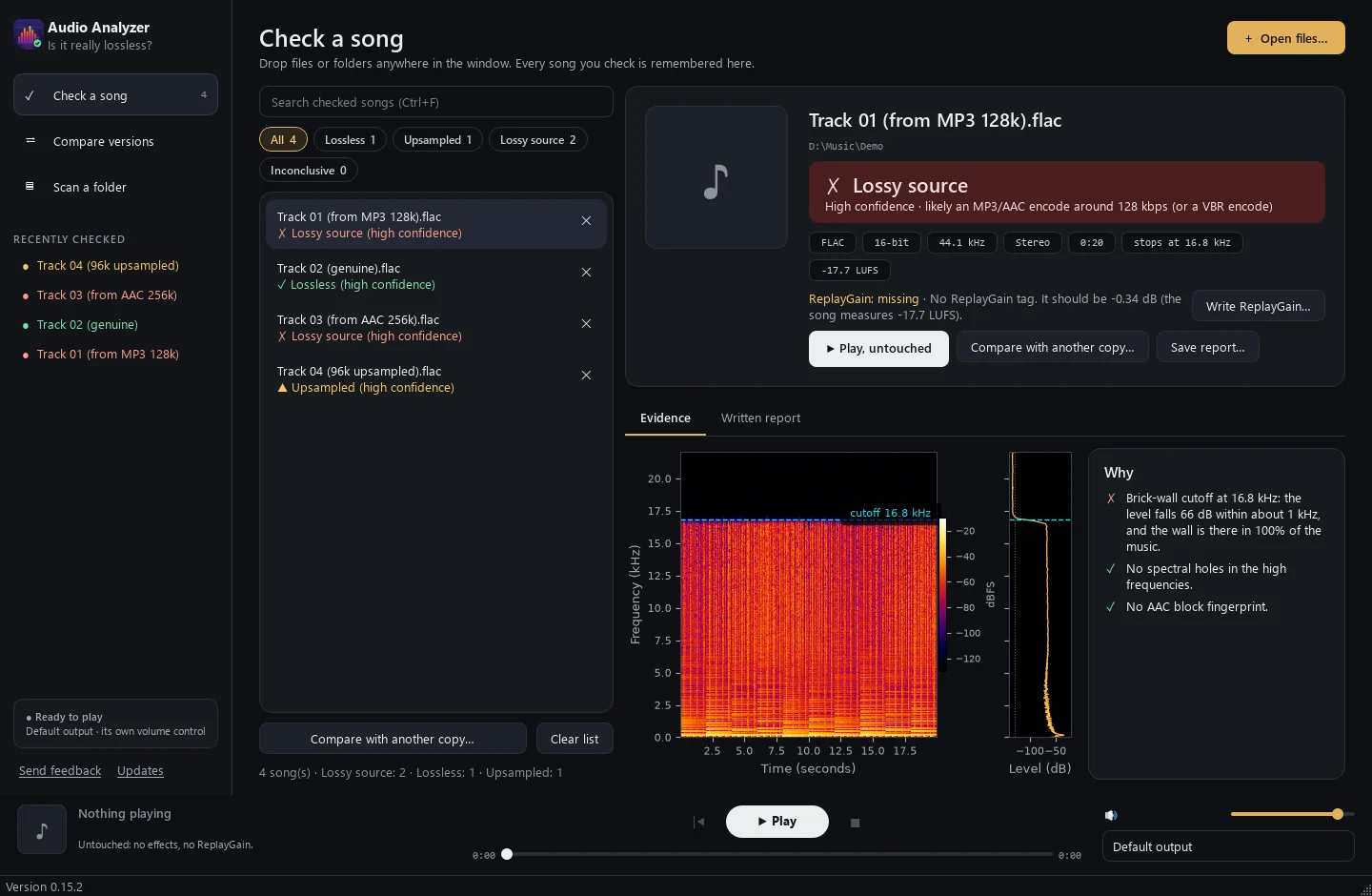
The problem
How a fake lossless file is made
Converting a lossy file back to FLAC can't bring back what the encoder threw away. The file is bigger, the label says lossless, and the detail is still missing.
The original
A CD or studio master. Every detail kept, up to the top of the audible range.
Squeezed to MP3 or AAC
The encoder deletes what it thinks you won't miss: the highest frequencies and many quiet details.
Converted back to FLAC
Same file type as the real thing, many times the size of the MP3, and none of the lost detail.
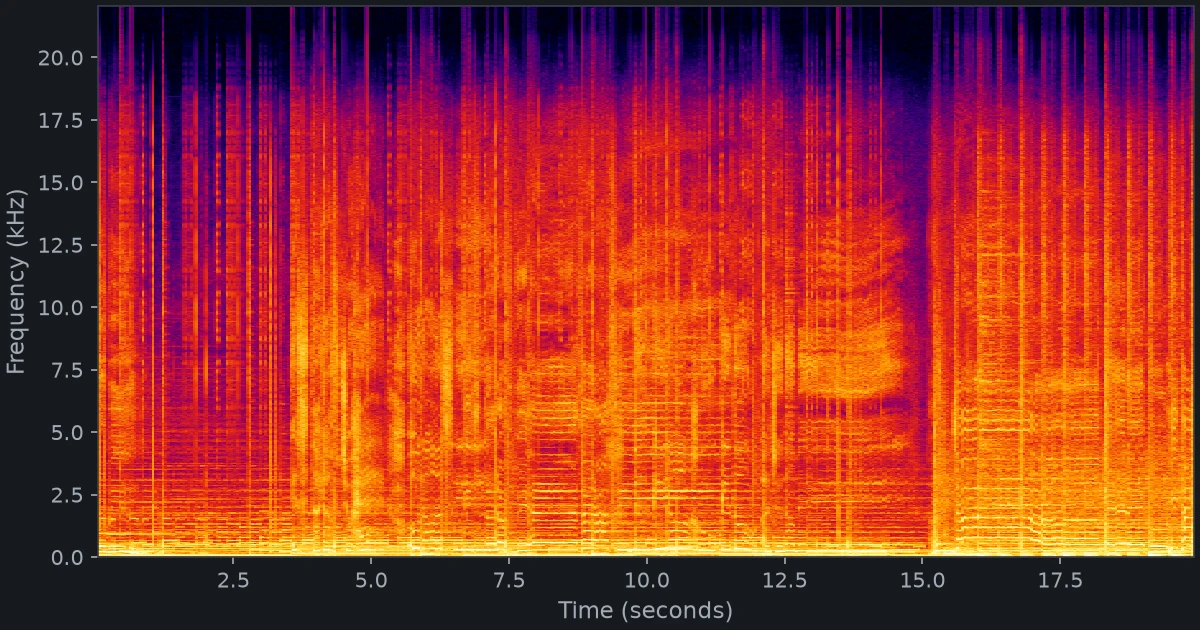
Genuine lossless
Sound reaches about 21 kHz, and its top edge moves with the music.
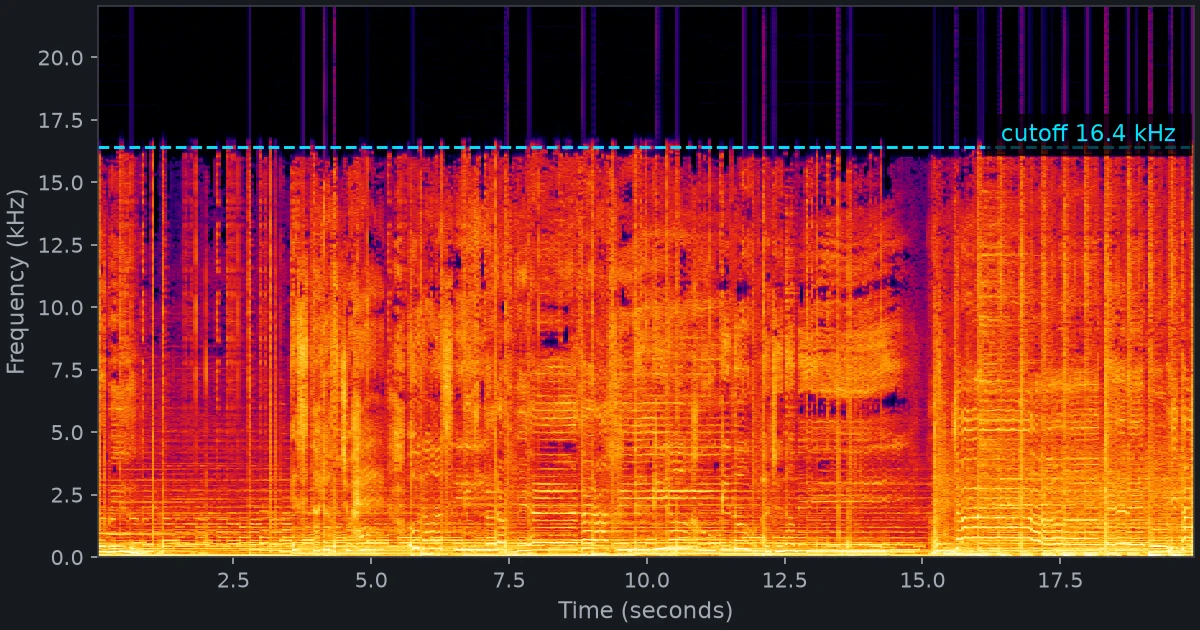
The same 20 seconds, via a 128 kbps MP3
Everything above 16.4 kHz is gone: a flat wall, the mark of an encoder.
How it checks
Four tests on every file
Each one looks for a different trace that lossy encoders leave behind. Some fakes leave only one.
Brick-wall cutoff
Encoders delete everything above a fixed frequency: about 16 kHz for a 128 kbps MP3, 19 kHz for 192 kbps. Real recordings fade out instead.
CatchesMost MP3, AAC, Opus and Vorbis files
Spectral holes
Encoders blank out narrow high-frequency slices while the slices next to them keep their sound. Natural recordings almost never do that.
CatchesHigh-bitrate files with no visible cutoff
AAC block fingerprint
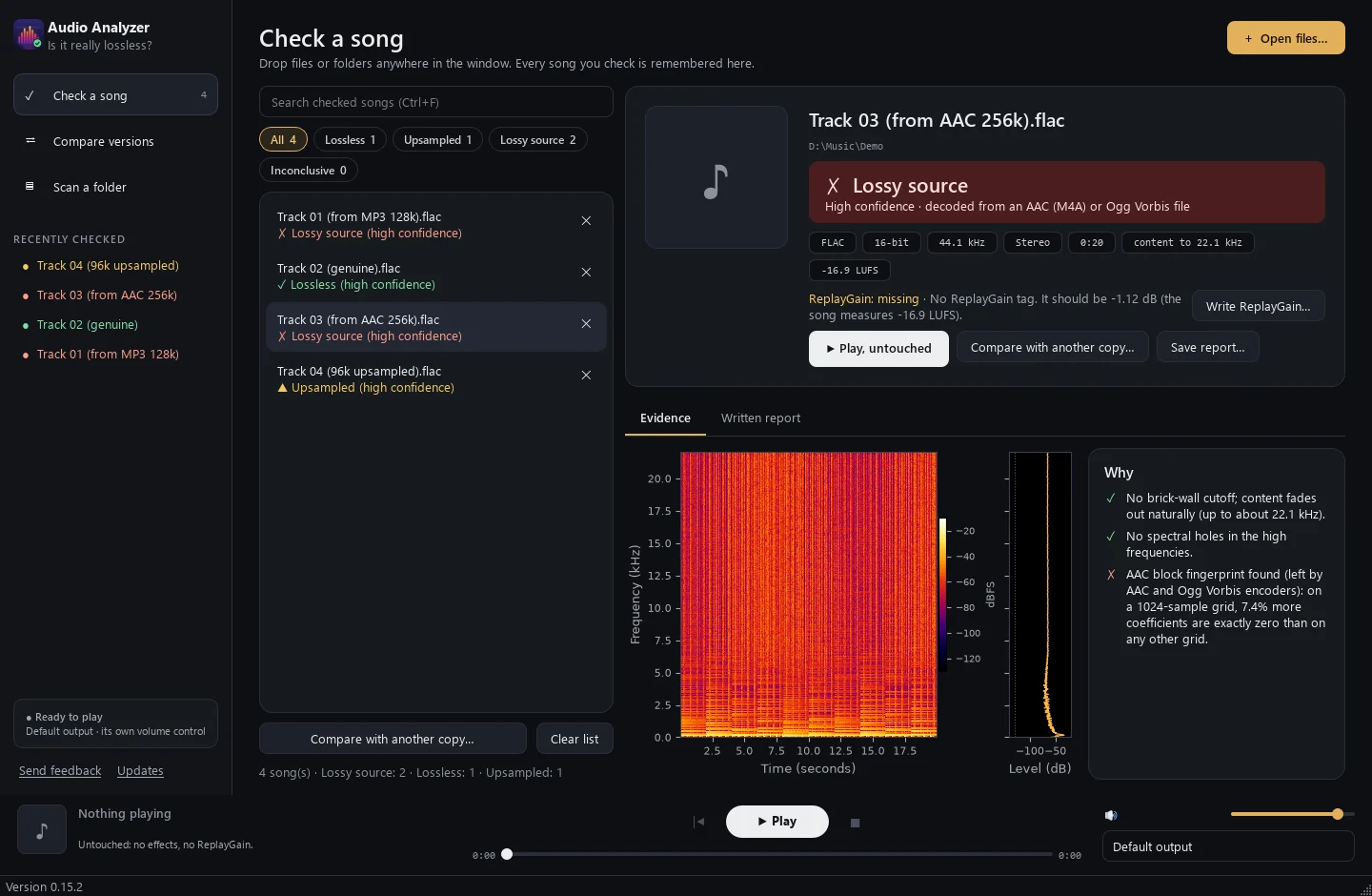
AAC and Vorbis work in blocks of 1,024 and round many values to exactly zero. Lined up on that grid, the zeros reappear.
Catches256 kbps AAC that looks perfect on a spectrogram
Container honesty
A 96 kHz file with nothing above 22 kHz was upsampled from CD quality. A 24-bit file that uses only 16 bits was padded with zeros.
CatchesFake hi-res
One clear verdict, with a confidence level
Lossless
No sign of a lossy source anywhere in the file.
Lossy source
Made from a lossy file, with a guess at the original bitrate.
Upsampled
Sold as hi-res, but converted up from CD quality.
Inconclusive
Some clues, not enough to accuse. It says which, and why.
Tested, not guessed
Measured on 3,442 files with a known origin
440 known-lossless files (CD rips verified against AccurateRip, the EBU test CD, live soundboard recordings and studio masters) and 3,002 known fakes made from them in 14 different ways.
of 280 CD-verified tracks wrongly called lossy
genuine files wrongly accused overall (a soundboard recording with a hardware filter)
fakes caught outright; most of the rest are flagged, not cleared
on your PC: no upload, no AI model, no subscription
Fakes caught outright, by how they were made
Share of 215 test files per format called "Lossy source". Files not caught are mostly marked Inconclusive.
MP3 V0 and Opus are the hardest: they often keep the full frequency range and leave no holes. When the app can't be sure, it says so rather than calling the file clean.
More than a checker
Everything you need to trust your library
Compare versions
A CD rip, a download and a remaster of the same song, side by side. It recommends the best copy, and Listen for the differences plays the same moments in each so you can hear them.
Scan a whole folder
Check an entire library in one go, with FLAC integrity checks and duplicate finding. Every result is remembered, so a re-scan only looks at what changed.
A written report
Why each file is or isn't lossless, in plain language, with every measurement. Save it as Markdown or plain text.
ReplayGain
Checks your ReplayGain tags and fixes them if you ask. The audio itself is never touched.
Untouched playback
Bit-perfect through WASAPI exclusive mode where your sound card allows it: no effects, no resampling, no Windows mixer.
Keeps itself up to date
Installs for you only, no administrator password. When a new version comes out, the app offers it.
Honest limits
What no tool can do
- Prove a file is lossless. "Lossless" means no evidence of a lossy source was found.
- Settle 20.4 to 21.3 kHz cutoffs. A 320 kbps MP3 and some CD masters look the same there, so those files get Inconclusive, never a false accusation.
- Judge speech well. Lossy encoders leave their marks in the high frequencies, and speech has little there.
Privacy
Your music stays on your PC
- Nothing about your music is collected or uploaded.
- It changes a file only when you ask it to write ReplayGain.
- Once a day it asks GitHub whether there's a newer version. You can turn that off.
- Send feedback sends what you write, only when you press Send.
Find out what's really in your library
Free. Windows 10 and 11, 64-bit.
The app isn't digitally signed yet, so Windows may say "Windows protected your PC" the first time. Click More info, then Run anyway.